Introduction
In day-to-day development I had Claude and Codex write HTML handouts with no harness at all. Later I would look for one, wonder where it had gone, and end up asking the AI to find it. So I built a place for the handouts to live, had the AI write JSON instead, and made the browser render and edit them.
GitHub - GentaAmeku/ai-handout-studioTurn a conversation with Claude Code or Codex into slides, HTML documents and question sheets — design templates, PDF/PPTX/HTML export, and a gamebook-style setup. - GentaAmeku/ai-handout-studioGitHubWhat goes wrong with AI-made handouts
1. They scatter
Each session's project gets its own HTML or PPTX in its own folder, and they are hard to find later.
Change the prompt so everything lands in one place and it ends up somewhere like tmp/ in the home directory.
2. Fixes burn tokens
Most requests are "fix just this part", and every check-and-fix round trip costs tokens. With the look to fix as well, slides were the worst.
3. They do not look alike
This happens when you use several AI agents side by side without a design system or a harness. Nothing ties the designs together.
AI Handout Studio
Rather than have the AI make everything, I give it a place first and have it write JSON. After that, the look and the details are adjusted in a web UI.
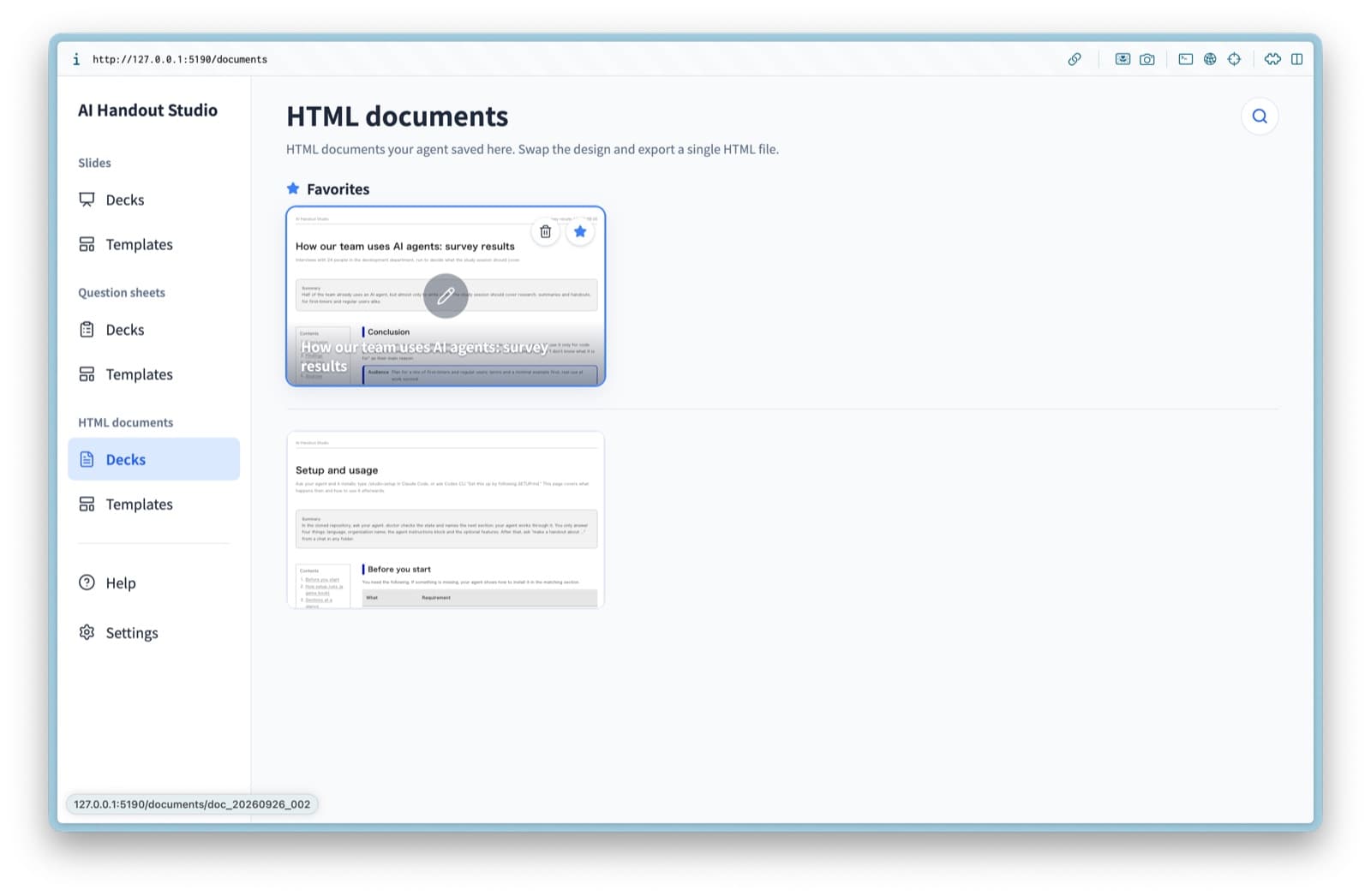
Whatever folder you ask from, the handout lands here. There is search and favorites, and it opens on a phone on the same network.
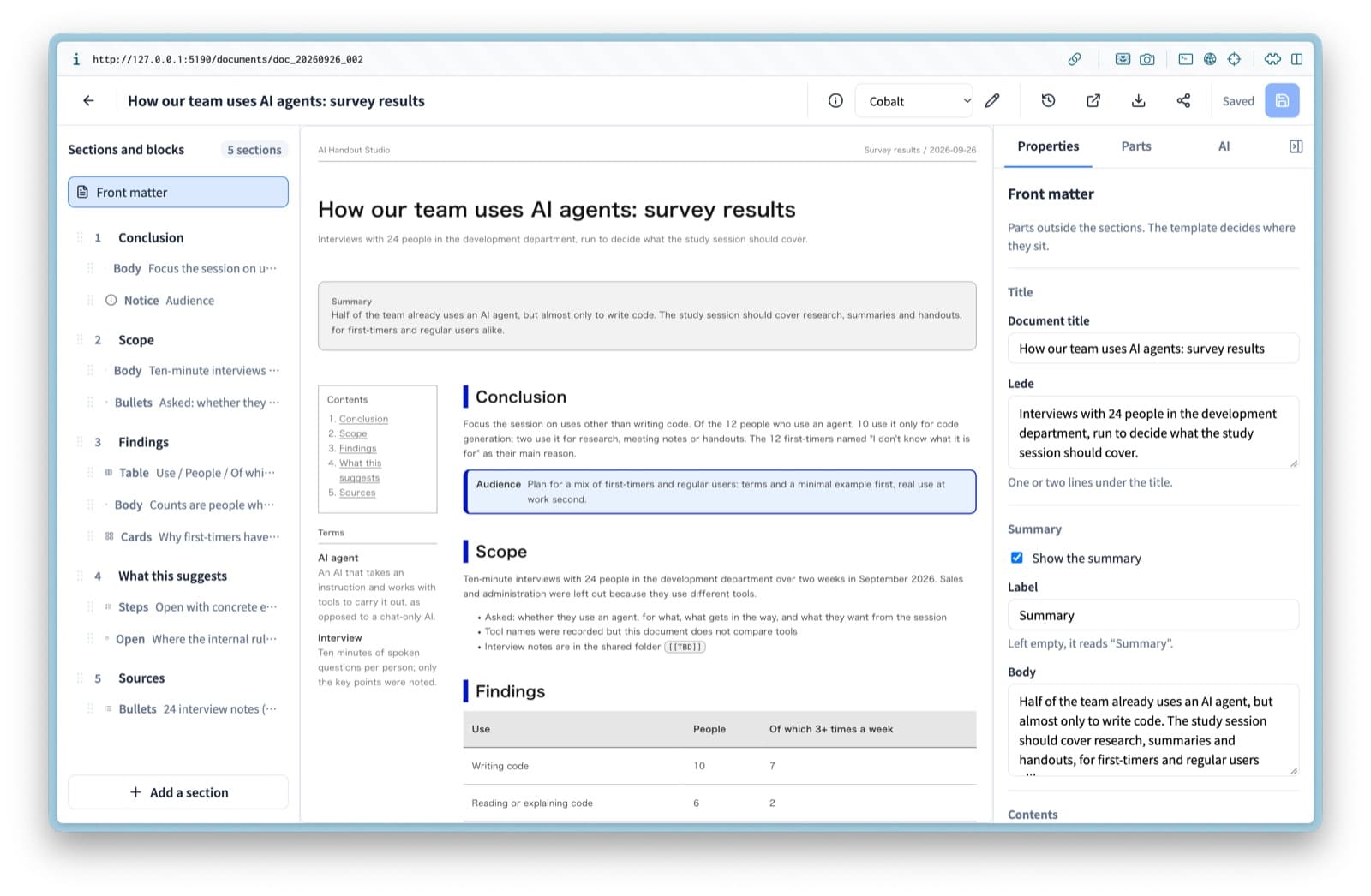
Finish what the AI made in the web UI. An HTML document exports as a single HTML file.
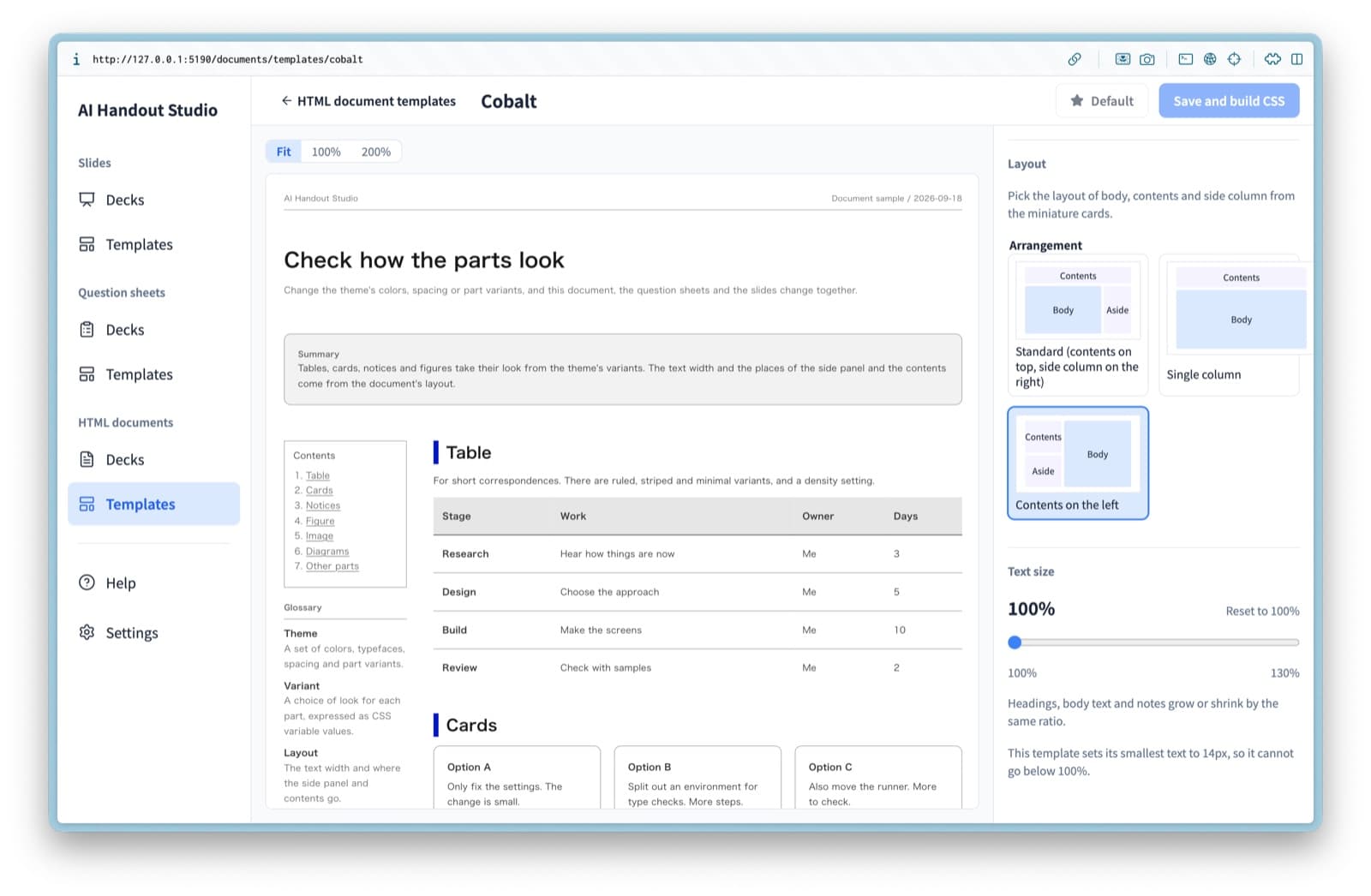
Design templates are set in the web UI too, including layout and font sizes.
How it works
Architecture
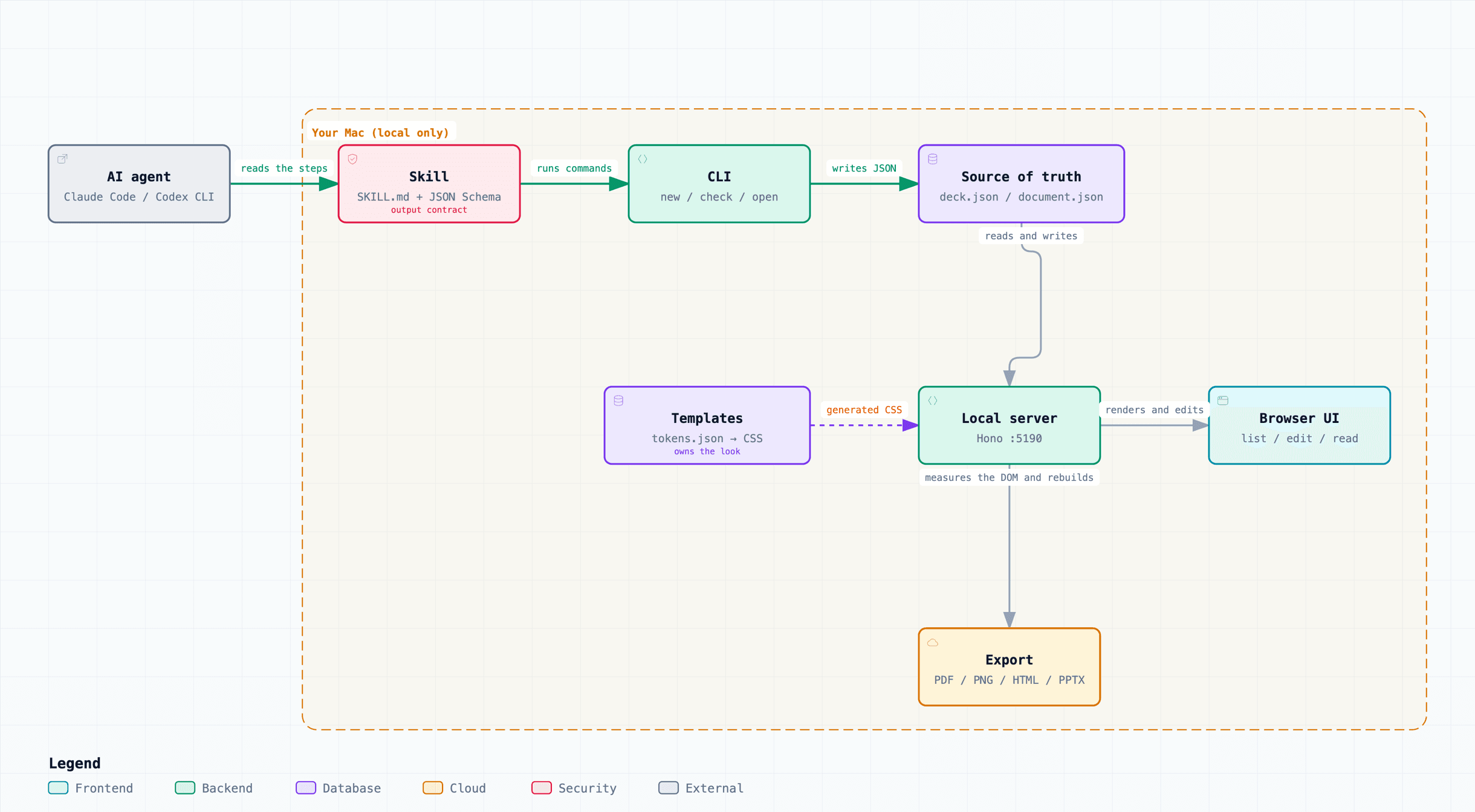
One JSON file is the source of truth
The AI writes one JSON file and nothing else. It holds text and structure, no colors and no spacing. An HTML document's document.json looks like this.
{
  "title": "How our team uses AI agents: survey results",
  "summary": { "label": "Summary", "text": "The conclusion comes first" },
  "toc": "auto",
  "sections": [
    {
      "heading": "Findings",
      "blocks": [
        { "type": "table", "props": { "headers": ["Use", "People"], "rows": [["Writing code", "10"]] } },
        { "type": "text",  "props": { "text": "Counts are people who said they use an agent for that purpose." } },
        { "type": "cards", "props": { "columns": 3, "items": [{ "title": "Why first-timers have not started", "body": "…" }] } }
      ]
    }
  ]
}
A section is just a list of blocks such as a table, a paragraph or cards. How they are drawn is up to the app and the template. Numbers and proper nouns come only from the request; anything unknown is written as [[TBD]]. Saving is done by a command, so the AI never needs to know the path of the place.
How it differs from similar tools
Having the AI write JSON and letting an app render it is also the idea behind Presenton and AWS's Spec-Driven Presentation Maker. The differences are three: the agent saves directly from whatever folder you are talking in, slides, HTML documents and question sheets share one place, and the screen where a person finishes the handout is never skipped. Compared with Marp or the PPTX skill, the intermediate format is JSON with no vocabulary for looks, rather than Markdown or HTML.
Slides
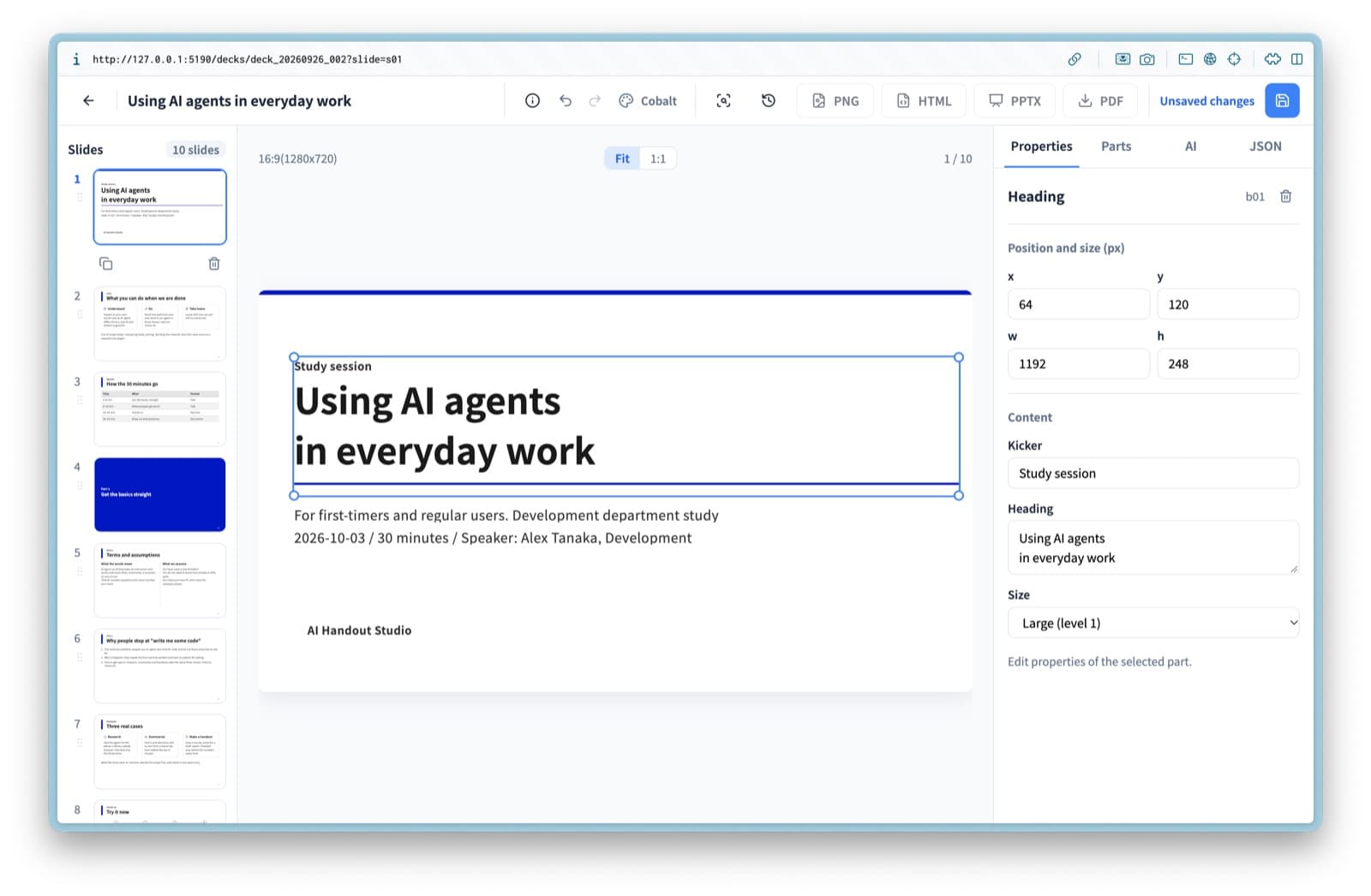
Slides work the same way. After the AI writes them you can change the template, nudge the layout, edit text and place parts on screen. Export covers PNG, HTML, PPTX and PDF.
Question sheets: AskUserQuestion, easier to read and to answer
Claude has the AskUserQuestion tool, but when questions arrive in that form they take effort to read, and I tended to answer "yes, the recommended one" without thinking. So I used AI Handout Studio to have the agent write its questions as HTML that is easy to take in, which lowered that effort. Because it is also a place, I can look back at what was asked and what I answered.
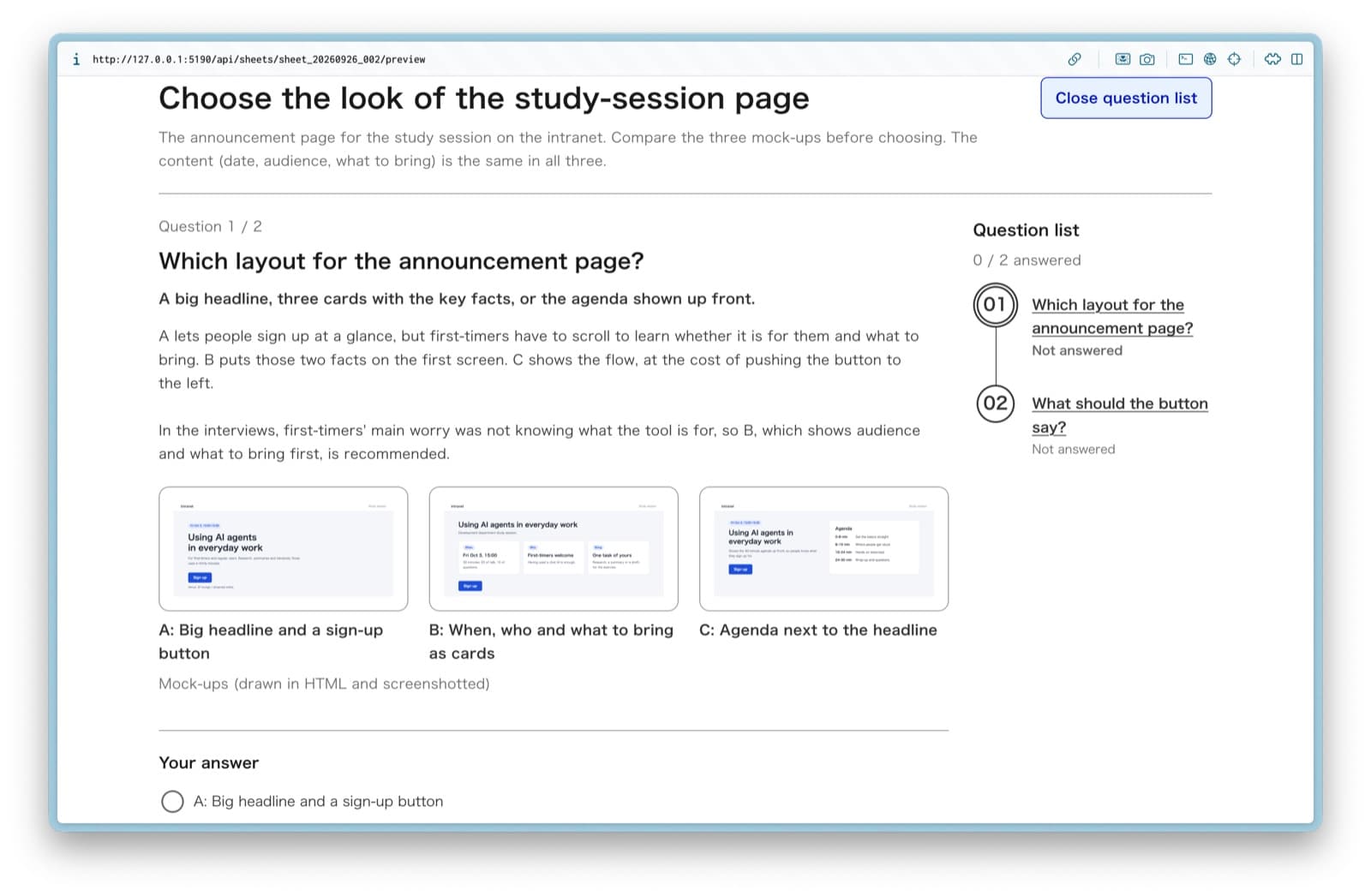
When you finish, the answers are copied to the clipboard as Markdown. Paste them into the chat and the agent carries on.
Closing
Being able to fix an AI-made handout on screen removed the round trips where I asked the AI to fix the look. There is a setup command that installs it game-book style, so give it a try if it sounds useful.